
VPN Leak Test: Check for DNS, IP & WebRTC Leaks

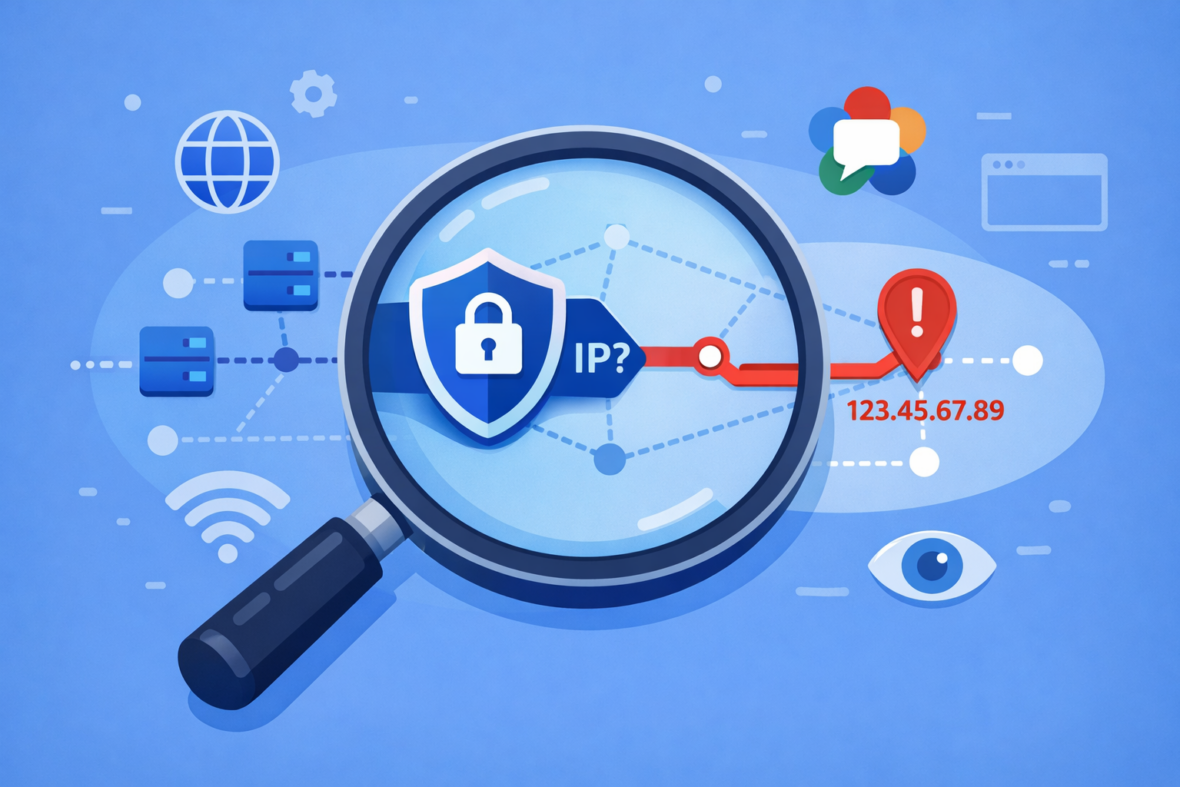
A VPN leak is when your real IP address, DNS requests, or other identifying information is exposed outside the encrypted VPN tunnel—revealing your actual location and browsing activity despite being “connected” to VPN. To users, this is often invisible; websites and ISPs see your real IP even though you believed the VPN was protecting you.
VPN leaks happen silently and are common with poorly configured VPNs or certain network protocols. Fortunately, leaks are testable and mostly preventable. Understanding what leaks are, how to detect them, and which ones matter helps you maintain real privacy instead of false confidence in a leaking VPN.
Types of VPN Leaks Explained
VPN leaks come in different forms, each revealing different information. Some are serious privacy issues; others are relatively minor. Understanding the distinction helps you prioritize fixes.
DNS leaks occur when your DNS requests route outside the VPN tunnel. Instead of your VPN provider’s DNS server handling “what does google.com resolve to?”, your ISP’s DNS server handles it. This reveals every website you visit to your ISP, even though your traffic is encrypted. This is one of the most common and serious leaks because it completely defeats the purpose of hiding browsing activity from your ISP.
IPv4 leaks happen when your actual IP address is exposed in web requests, despite the VPN. Websites see your real public IP instead of the VPN server’s IP. This reveals your actual location and ISP to websites, defeating IP masking. For privacy-conscious users, this is critical. For corporate VPN users, this is usually acceptable because corporate VPNs intentionally expose your identity.
IPv6 leaks are similar to IPv4 leaks but use the newer IPv6 protocol. Many users don’t realize their device has both IPv4 and IPv6 addresses. If your VPN only protects IPv4 but your device uses IPv6, your real IPv6 address leaks. This is increasingly common as IPv6 adoption grows.
WebRTC leaks expose your real IP through browser WebRTC (Real-Time Communication) functions used for video calls and peer-to-peer connections. Even with a VPN active, malicious websites can use WebRTC APIs to discover your real local and public IP addresses. This is particularly concerning because the user has no visibility into it.
💡 Silent exposure
VPN leaks are invisible to you. A leak doesn’t cause errors or obvious symptoms—your VPN works fine, but your data leaks quietly. This is why testing is essential, not optional.
How to Test for VPN Leaks
Testing for leaks is straightforward and takes 5-10 minutes. Multiple free tools check for different leak types simultaneously. The most comprehensive test is ipleak.net—it checks DNS, IPv4, IPv6, and WebRTC leaks in one place.
- Connect to your VPN: Open your VPN app and connect to a server. Wait 5 seconds for full connection establishment.
- Visit ipleak.net: Open a web browser and go to ipleak.net (not using VPN first—you want to see the VPN results only).
- Review results: The page displays your detected IP address, location, ISP, and DNS servers. Compare these to your VPN provider’s expected results.
- Interpret findings: If the displayed IP matches your VPN server’s IP, no leak. If it shows your home ISP or real location, you have a leak.
- Test alternative servers: Connect to a different VPN server and repeat the test. Some servers leak while others don’t.
- Test with WebRTC: The same ipleak.net site shows WebRTC results. Look for “WebRTC leak detected” warning if your browser leaks your real IP.
💡 Save baseline
Before connecting to VPN, note your real IP and ISP name. After connecting, you can easily spot whether the VPN is working by comparing addresses.
Understanding Your Leak Test Results
Leak test results show what your VPN is protecting and what it’s not. Different test results indicate different types of problems.
| Test result | What it means | Severity |
|---|---|---|
| IP shows VPN server location | Good—your IP is masked; no IPv4 leak | ✅ Secure |
| IP shows your home location | IPv4 leak detected; websites see real IP | 🔴 Critical |
| DNS shows VPN provider’s DNS | Good—DNS is tunneled; no DNS leak | ✅ Secure |
| DNS shows ISP’s DNS server | DNS leak detected; ISP sees all browsing | 🔴 Critical |
| WebRTC leak detected: Yes | Your real IP exposed via browser APIs | 🔴 Critical |
| WebRTC leak detected: No | Browser is not leaking your IP | ✅ Secure |
| IPv6 address displayed | Your real IPv6 is exposed (if shown) | 🔴 Critical |
The safest result shows your VPN server’s IP location, your VPN provider’s DNS servers, and “WebRTC leak: No.” Anything else indicates at least one type of leak requiring investigation.
How to Fix VPN Leaks
Different leaks require different fixes. The solution depends on what type of leak you detected.
For DNS leaks: Configure your VPN app to use the VPN provider’s DNS servers instead of your ISP’s. Most VPN apps have a “DNS settings” option. Select “Use VPN provider DNS” or input the provider’s DNS servers manually (your VPN provider publishes these). Some apps call this “DNS leak protection” or “custom DNS.” After changing, retest on ipleak.net.
For IPv4 leaks: IPv4 leaks usually indicate a misconfigured VPN app or firewall interference. Solution: (1) Restart your VPN app completely, (2) Update to the latest VPN app version, (3) Try a different VPN protocol (WireGuard instead of OpenVPN), (4) Disable firewall temporarily to test if it’s blocking the VPN properly. If the leak persists across all servers and protocols, contact VPN support.
For WebRTC leaks: WebRTC leaks are browser-based, not VPN-based. Solutions: (1) Disable WebRTC in your browser if you don’t need video calling, (2) Install a WebRTC leak prevention browser extension (search “WebRTC leak protection”), (3) Use a different browser that doesn’t leak WebRTC. Note: some VPN apps include WebRTC blocking; check your app settings.
For IPv6 leaks: If your device has IPv6 enabled but your VPN doesn’t support it, your IPv6 address leaks. Solutions: (1) Disable IPv6 in your device settings (not ideal, but effective), (2) Request IPv6 support from your VPN provider, (3) Use a VPN provider that explicitly supports IPv6. For most users, IPv6 disabling is temporary until broader IPv6 support exists.
| Quick DNS fix | Most VPN apps: Settings → DNS → Select “VPN DNS” or “Custom DNS” → input provider’s servers |
|---|---|
| Quick WebRTC fix | Browser → Settings → Privacy → Disable WebRTC (exact location varies by browser) |
| Quick IPv6 fix | Device Settings → Network → IPv6 → Disable (temporary solution) |
Common VPN Providers and Leak Profiles
Not all VPN providers handle leaks equally. Some leak by design (corporate VPNs intentionally expose identity); others leak due to poor design. Here’s how major categories perform on leak tests.
This doesn’t mean free VPNs are bad choices for all use cases, just that they may intentionally allow certain leaks to monitor users for monetization. If you use a free VPN, test it for leaks and understand what’s exposed.
💡 Test before trusting
Don’t assume your VPN is leak-free based on marketing claims. Test it yourself with ipleak.net. Even premium VPNs occasionally have configuration issues that cause leaks on specific networks.
When VPN Leaks Actually Matter
Not all leaks carry equal risk. Your threat model determines which leaks are acceptable and which are deal-breakers.
DNS leaks matter most if: You’re hiding browsing from your ISP, you’re in a restrictive country, or you want privacy from network monitoring. If your ISP can see you visited vpnish.com, that’s a DNS leak. If you only care about hiding content from websites (not ISP), DNS leaks are lower priority.
IPv4 leaks matter most if: You’re hiding your location from websites, you’re concerned about IP-based tracking, or you want anonymity online. If websites know your real IP, they can correlate your visits and build a profile. If you only care about ISP privacy, IPv4 leaks are secondary.
WebRTC leaks matter most if: You use video conferencing, you visit untrusted websites, or you want maximum privacy. Malicious websites can discover your real IP silently through WebRTC. However, most legitimate websites don’t attempt this.
IPv6 leaks matter increasingly as: More websites and networks adopt IPv6. Currently, most traffic still uses IPv4, so IPv6 leaks are less critical. But within 5-10 years, IPv6 leaks may matter more than IPv4.
In summary: if you’re using VPN primarily for privacy from your ISP or bypassing geo-blocking, DNS leaks are critical. If you’re using VPN for anonymity and hiding from websites, IP leaks are critical. Most remote workers care more about ISP privacy than website anonymity, so DNS leaks are typically the priority.
Frequently Asked Questions About VPN Leaks
-
Does a VPN leak mean it’s completely broken?
Not necessarily. A VPN leak means one specific type of information is exposed, not all traffic. For example, a DNS leak means websites can see which sites you visit, but your traffic content is still encrypted. A single leak doesn’t mean the VPN failed entirely, just that it failed to protect one data type.
-
Can I trust a VPN that had a leak in testing?
Depends on the leak and provider. A one-time DNS leak on one server may be a configuration error. Consistent leaks across all servers indicate poor design. Contact the VPN provider, explain what leaked, and see if they fix it. Many providers patch leak issues quickly once reported. If they don’t take it seriously, consider switching VPNs.
-
If my VPN leaks DNS, is my traffic still encrypted?
Yes. A DNS leak only exposes which websites you visit (DNS is unencrypted traffic showing domain names). Your actual traffic content remains encrypted through the VPN tunnel. However, your ISP can now see you visited bank.com even if it can’t see what you did there. For most privacy purposes, DNS leaks are severe.
-
Why does my VPN leak IPv6 but not IPv4?
Many VPN apps were designed before widespread IPv6 adoption and only protect IPv4. Your device has both IPv4 and IPv6 addresses; if the VPN only tunnels IPv4, your IPv6 address leaks. Solution: disable IPv6 in device settings, or use a VPN provider that explicitly supports IPv6.
-
Can websites detect that I’m using a VPN even without leaks?
Yes. Websites can detect VPN usage by recognizing VPN server IP addresses (these are publicly known). A leak means they see your real IP—confirming you’re the person behind the VPN. Without a leak, websites know you use a VPN but can’t identify you personally.
-
Should I test for leaks regularly?
Test for leaks after: (1) Installing a new VPN, (2) Updating your VPN app, (3) Changing networks (home Wi-Fi to mobile hotspot), (4) If you notice your VPN behaving differently. You don’t need to test daily if your setup is stable, but quarterly testing is reasonable for privacy-conscious users.
-
Can corporate VPN leaks be a security issue?
Yes, but differently. Corporate VPNs intentionally expose your identity (your employer knows it’s you), but they should still encrypt traffic and prevent data leaks to ISPs or external networks. If a corporate VPN has a DNS leak, your ISP can see company servers you’re accessing—a security issue for the company.
-
What’s the difference between a VPN leak and VPN disconnection?
Leak: VPN is connected but specific data escapes outside the tunnel (silent, invisible). Disconnection: VPN connection drops entirely, traffic routes unencrypted (visible to user, often obvious). Leaks are dangerous because they’re silent. Disconnections are obvious and alert you to problems.