
Using a VPN for Gaming: Protection, Latency & Ban Risks

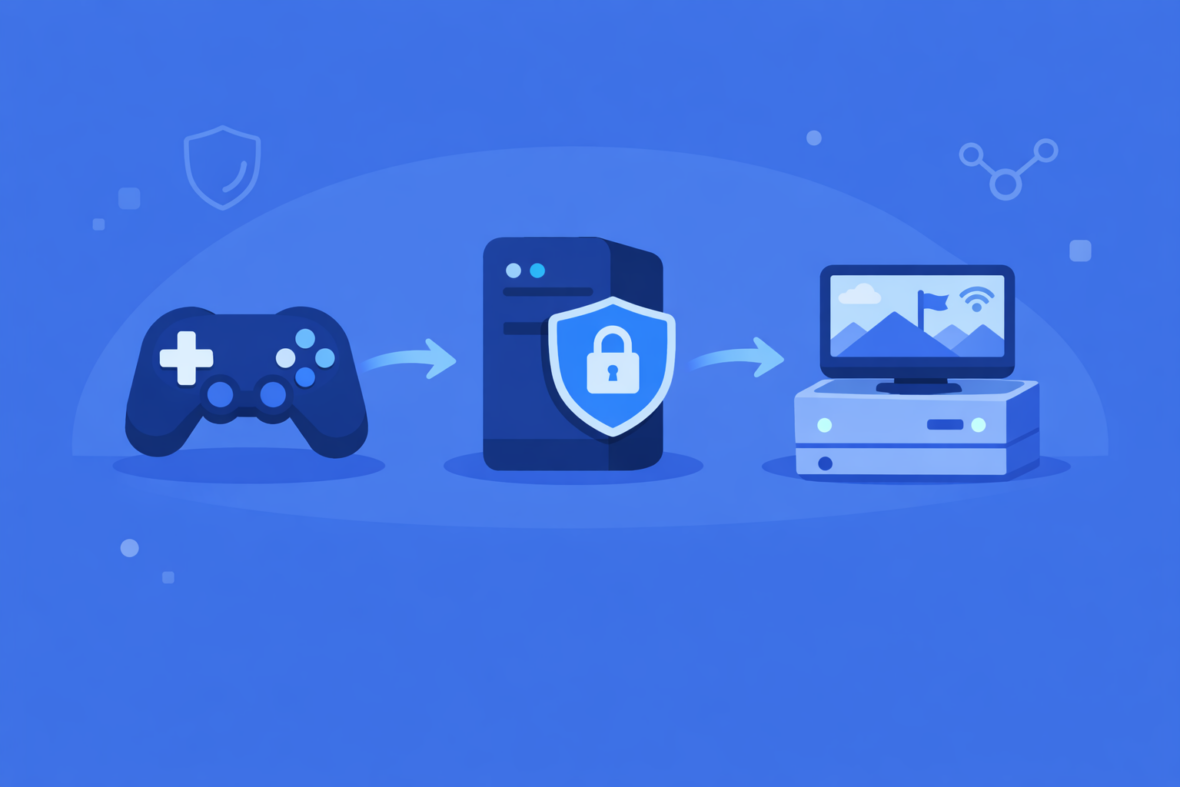
Gamers use VPN for different reasons than other users. Some want DDoS protection from toxic players, some want to hide their gaming from ISP throttling, some want to access games or servers restricted to their region, and some want privacy while gaming online.
VPN can genuinely help gamers in specific scenarios—DDoS protection, ISP privacy, accessing region-locked content—but it creates new problems that often outweigh the benefits: increased latency ruins competitive play, games actively detect and block VPNs, and many game publishers ban VPN users, risking account suspension. Whether VPN for gaming makes sense depends entirely on what you’re trying to accomplish and which game you’re playing. Understanding the trade-offs helps you decide if VPN is worth the risks.
This guide explains when VPN actually helps gamers, when it makes things worse, which games tolerate VPN usage, and realistic expectations about gaming performance and account security when using VPN.
When VPN Actually Helps Gaming: DDoS Protection and Privacy
VPN provides genuine benefits in specific gaming scenarios. The most legitimate use case is protection from DDoS attacks, where malicious players target your IP address to crash your connection or degrade your gaming experience.
DDoS attacks in gaming are real. Competitive players, especially in PvP games, sometimes target opponents with DDoS to win matches unfairly. If someone knows your IP address, they can theoretically launch a DDoS attack that disconnects you or causes lag spikes. A VPN masks your real IP, making these attacks impossible because attackers only see the VPN server’s IP, not yours.
Additionally, VPN hides your gaming activity from your ISP. Some ISPs throttle or deprioritize gaming traffic to manage network congestion. A VPN encrypts your traffic, preventing your ISP from seeing that you’re gaming and thus preventing targeted throttling. This can actually improve performance on some networks where ISPs actively suppress gaming.
VPN also provides anonymity from other players. Your real IP address is hidden; players only see the VPN server’s IP. This prevents players from looking up your location, ISP, or other identifying information based on your IP.
These are legitimate benefits. However, they come with significant trade-offs that often make VPN counterproductive for gaming.
Why VPN Usually Hurts Gaming: Latency and Detection
VPN adds latency by routing your traffic through an additional server before reaching the game server. This distance and processing overhead increase your ping (latency measurement). Even nearby VPN servers add 5-15ms; distant servers add 50-100ms+.
In competitive games, ping is critical. Professional players play on servers with 0-10ms ping. A 50ms increase from VPN pushes casual players into noticeable lag territory (visible delay between action and response). For competitive players, this is unacceptable and ruins performance.
| Ping range | Gaming experience | VPN impact |
|---|---|---|
| 0-20ms | Optimal; professional-level play | 🔴 VPN makes unplayable |
| 20-50ms | Good; competitive casual play | 🟡 VPN noticeable but playable |
| 50-100ms | Acceptable; casual play | 🟡 VPN adds significant lag |
| 100ms+ | Poor; barely playable | 🔴 Unplayable with VPN |
Games actively detect and block VPN. Modern game publishers use VPN detection similar to streaming services. They identify VPN server IPs and either block connections entirely or flag accounts for investigation. Some games are lenient; others automatically ban VPN users.
💡 Game publishers enforce this
Using VPN violates most game publishers’ terms of service. They have the technical ability to detect VPN, the legal right to ban violators, and they actively enforce it. Account bans are a real risk, not theoretical.
Advantages and Disadvantages of Using VPN for Gaming
VPN for gaming presents a clear conflict: legitimate protection benefits (DDoS, privacy) versus severe drawbacks (latency, detection, bans). The trade-offs often make VPN counterproductive for casual and competitive gaming alike, making it a last-resort tool rather than a standard gaming practice. Understanding both sides helps you decide if your specific gaming scenario justifies the risks.
- DDoS protection from malicious players targeting your IP
- ISP throttling prevention—hides gaming traffic from ISP
- Anonymity from other players—your real IP hidden
- Access to region-locked games or servers
- Increased latency ruins competitive and casual play
- Games actively detect and block VPN connections
- Account suspension or permanent ban risk from publishers
- Connection stability issues and frequent disconnections
Game Publisher Stances on VPN Usage
Not all game publishers treat VPN the same way. Some actively enforce bans; others are lenient. This varies by game and changes as publishers update their policies and detection methods.
This status changes frequently. Game publishers update detection methods; some VPNs update evasion techniques. A game that blocks VPN today might allow it tomorrow, and vice versa. Before committing to gaming with VPN, test your specific VPN with your specific game.
💡 Research first
Check recent Reddit threads, game forums, or VPN provider communities for current reports. Game VPN compatibility changes faster than documentation updates.
When VPN for Gaming Makes Sense
VPN for gaming is situational. It makes sense in specific scenarios and doesn’t in others.
VPN makes sense for: Casual single-player or co-op games where latency isn’t critical and DDoS risk exists (games with toxic communities known for attacks). Games with lenient VPN policies. Accessing region-locked content (certain games only available in specific regions). Privacy from ISP about your gaming habits. Protecting against ISP throttling on networks known to suppress gaming.
VPN doesn’t make sense for: Competitive multiplayer games where ping is critical (fighting games, FPS games, MOBAs). Games with strict VPN bans (Valorant, CS2, CoD). Ranked play or tournament gaming. Games using kernel-level anti-cheat (which may flag VPN usage). Situations where 1-2 second latency increase changes gameplay meaningfully.
Middle ground: Casual multiplayer games with lenient policies (Minecraft, some indie games) where VPN works and latency impact is acceptable.
💡 Ask yourself
Before using VPN for gaming, ask: “Is the benefit (DDoS protection, privacy, region access) worth the cost (latency, ban risk, potential detection)?” If the answer isn’t clearly yes, skip the VPN.
Understanding Account Ban Risks
Game publishers reserve the right to ban accounts violating their terms of service. Using VPN violates most publishers’ terms, giving them legal grounds to ban.
How bans work: Publishers can detect VPN usage through IP reputation, connection patterns, or anti-cheat systems. When detected, they may: (1) Temporarily restrict access, (2) Issue a warning, (3) Permanently ban the account. Different publishers enforce differently.
| Ban likelihood depends on | Publisher’s enforcement level (some aggressive, some lenient), game’s importance (competitive games enforce harder), detection method (some detect reliably, some don’t), account history (first offense vs. repeated violations). |
|---|---|
| Banned accounts | You lose all progress, cosmetics, skins, battle pass rewards, and purchased content. No refunds are typical. |
| Banwave timing | Publishers sometimes detect and ban in waves, creating unpredictability. You might use VPN safely for weeks, then get caught in a banwave. |
| Appeal process | Some publishers allow appeals; most don’t. Appealing a VPN-related ban rarely succeeds because you violated terms knowingly. |
💡 Real risk
Bans are not theoretical. Thousands of gamers report permanent account bans from using VPN. This isn’t speculation—it’s documented, recurring consequences.
The Latency Reality: Why Nearby Servers Don’t Help Much
A common misconception is that VPN with a nearby server won’t add much latency. In reality, even nearby VPN servers add measurable latency because they add an extra hop in routing.
Your normal connection path: Home → ISP → Game Server (typically 20-50ms). With VPN nearby: Home → ISP → VPN Server (5-10ms) → Game Server (adds another 5-10ms routing), totaling 30-70ms. The VPN server, even nearby, isn’t on the direct path, so it adds routing overhead.
For reference: professional esports players practice on 0-5ms ping and compete on 10-20ms ping. Adding 20-50ms from VPN puts casual players in noticeably laggy territory and makes competitive play essentially impossible.
Additionally, VPN server congestion (many users) can cause fluctuating latency, packet loss, and disconnections—making gaming experience inconsistent and unreliable.
Frequently Asked Questions About VPN and Gaming
-
Will I get banned for using VPN in games?
Possibly. It depends on the game publisher, their detection methods, and enforcement level. Valorant and CS2 actively ban; Minecraft is lenient. The risk exists and is documented, but not guaranteed. If you use VPN, you’re accepting the ban risk.
-
Can I use VPN for casual gaming?
Yes, for casual games with lenient policies (Minecraft, single-player games, indie games). The latency impact is less noticeable in casual play. Just avoid competitive games where ping is critical.
-
How much does VPN latency increase gaming ping?
Typically 15-50ms additional latency, depending on VPN server distance and congestion. A 50ms increase takes your 30ms ping to 80ms—noticeable lag in competitive games, acceptable in casual games.
-
Does VPN actually prevent DDoS attacks on your IP?
Yes. If an attacker only knows your VPN server’s IP (not your real IP), they can’t DDoS you. VPN truly masks your IP. However, DDoS risk in casual gaming is overstated—it’s rare outside competitive esports communities.
-
Will ISP throttling my gaming be fixed by VPN?
Possibly. If your ISP throttles gaming traffic specifically, VPN can hide your traffic and prevent throttling. However, this only works if your ISP actually throttles gaming—most don’t. Test without VPN first to confirm throttling exists.
-
Can I appeal a VPN ban?
Rarely with success. Most publishers don’t appeal VPN bans because you knowingly violated terms. Some publishers allow appeals, but success rates are very low. Consider bans permanent.
-
Is VPN use in gaming legal?
Using VPN is legal in most countries. However, game publishers’ terms of service forbid it, giving them the right to ban your account. Legal legality ≠ game policy compliance. You’re breaking the game’s rules, not the law.
-
Which games are safest for VPN use?
Single-player games (no risk), Minecraft (lenient policy), indie games (weak VPN detection), co-op games with friends. Avoid competitive multiplayer, esports titles, and games with kernel-level anti-cheat.